Samsung has announced the Galaxy Z TriFold, a foldable phone comprised of three ultra-thin (~4mm) panels and two sets of hinges, that unfolds into a 10-inch tablet. When closed, it resembles a standard smartphone with a 6.5-inch display that is 12.9mm thick. Because the main screen is so large, Samsung has created a "standalone" version of Samsung DeX, meaning it can switch to a PC-like desktop mode without attaching ...
Unfold the phone, then go into Developer Options and increase the Minimum Width setting until you have the screen real estate you wanted. That’ll solve the issue of things not properly being zoomed out when you unfold it.
Next, fold the phone and increase the setting again until you’re happy with how that one looks too.
I don’t want to have to do this every time I find a page that’s too wide. I just want to pinch out to zoom out and then zoom back in when I’m done. It should have a zoom stop at 100% so it’s easy to find the setting to zoom back to normal after zooming in or out. It’s such an easy concept, yet nobody implemented it.


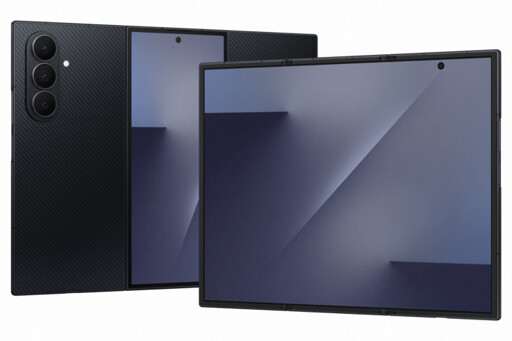
When you try to look at a spreadsheet and there are too many columns even in portrait mode, I open up the phone.
For some reason nobody figured out “zoom all the way out” functionality on the phone yet
Unfold the phone, then go into Developer Options and increase the Minimum Width setting until you have the screen real estate you wanted. That’ll solve the issue of things not properly being zoomed out when you unfold it.
Next, fold the phone and increase the setting again until you’re happy with how that one looks too.
I don’t want to have to do this every time I find a page that’s too wide. I just want to pinch out to zoom out and then zoom back in when I’m done. It should have a zoom stop at 100% so it’s easy to find the setting to zoom back to normal after zooming in or out. It’s such an easy concept, yet nobody implemented it.