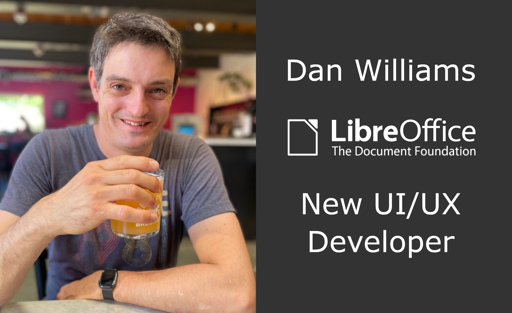
The Document Foundation is the small non-profit entity behind LibreOffice. It oversees the project and community, and is now expanding with new developer roles. So let’s say hello to Dan Williams, who joins the team to work on design and user interface (UI) improvements, with an initial focus on macOS: Tell us a bit about […]
excited to see what this means for the project, the poor UI/UX of libreoffice is easily its most glaring flaw imo
Agreed, if you grew using another program, switching is hard unless it’s UX/UI is superb.
When I ditched Adobe, Inkscape was a breeze. GIMP is hard AF and Krita a bit easier but it doesn’t have the features I need. I ended up using Photopea, and now I’ve tried Affinity and it’s the best Photoshop alternative I’ve tried yet.
Collabora is looking pretty good so far. Still a few rough edges but easier than any other FOSS office software.
GIMP is well worth getting used to, especially now we are post 3.0 with a proper non-destructive workflow for filters/effects. I had always found it confusing to learn, having the Photoshop UI fossilised into my neural pathways, but what unlocked it for me was following an online GIMP course for 2/3 hours, which amounted to far less time than I had formerly spent cracking photoshop or working to pay for it.
Some great plugins are coming out now too. The Batcher plugin in particular makes GIMP (and GMIC by extension) extremely powerful for automation.
Inkscape was hell for me when I tried it years ago. I just had no clue where to find stuff and how to navigate properly. Maybe I have to give it another try.
Says more about you than Inkscape. Seriously. It’s build like literally almost every other program out there. Tools to the left, menus at the top, navigation and other windows at the right. How can you not find stuff?
I’m used to Inkscape since forever. I’m no graphics design expert, but do know my way around Inkscape for simple SVG editing, mostly stuff shamelessly taken off Wikimedia.
Way back in college, I enrolled in an elective “graphic design” course. Of course, being a course, they used Illustrator.
That thing works nothing like Inkscape. It was a long time ago, but I remember being baffled by it, to the point of being unable of doing basic stuff.
To be fair, I had no need for learning Illustrator and no wish to do it either, so I quit the course while I still could and exchanged it. I just felt like i’d be losing my nerves on switching, when I had better stuff to do than becoming dependant on Adobe and losing my minf in the process.
Both programs may indeed sport menus in the same spots, but the menus aren’t the same. They may look like the same thing, but they’re really not.
It’s kind of like a bus and a train. Illustrator (the bus) sports all the nice stuff (i assume) from other Adobe stuff. Just like a bus uses the same road like cars do, with the same signalization.
Inkscape is more like the train. It does things differently from say Krita or Gimp, but it also does other stuff than either Krita or Gimp. Which (dare I say) makes it more effective at what it’s meant to do.
Nothing like illustrator? Seriously? They have tools named the same, doing the same thing. Maybe some shortcuts are different, but if you really are that set in your ways, you can go change it in Inkscape. You can even go into the settings (named settings, under edit, like in almost every other app) and set the shortcuts to Adobe Illustrator (or a number of other apps), and then you have the same shortcuts in Inkscape.
Please be concrete here. Tell me exactly a menu item that does something fundamentally different in Inkscape, than it does in Illustrator?
Do you really need the exact same menus with the exact same options in each app? If so, then you are basically saying that you want the same program, and then this talk is rather pointless…
You do know the difference from vector graphics and bitmap, right?
I think it’s ok for switching to be hard if the UI is built for productivity. I’m not really a “creative” worker in the most common sense, so I’m guessing GIMP’s UI sucks even after you learn it, but I do know VIM is not intuitive at all, yet improves productivity compared to most IDEs/text editors. I’ve also worked on an application, working closely with our somewhat technical users, and they would suggest UI changes that were often not intuitive, but increase their productivity a bit (less need for using a mouse, less keystrokes/clicks and stuff like that).
YMMV but I’ve found the GIMP UI to be pretty much on a par with photoshop after having learnt the UI and learnt/modified the keyboard shortcuts. Some things are in fact better in GIMP, like panning and zooming. I’ve transitioned to GIMP on my own hardware but still use photoshop at a workplace.
If photoshop was open source then I think there would be a conversation to be had but I wouldn’t pay for it now that I’m used to GIMP.
I love Inkscape, it’s so intuitive! I didn’t even need to read the docs. And now that Affinity is coming to Linux I’m hoping I can switch my work to these options.


Agreed, if you grew using another program, switching is hard unless it’s UX/UI is superb.
When I ditched Adobe, Inkscape was a breeze. GIMP is hard AF and Krita a bit easier but it doesn’t have the features I need. I ended up using Photopea, and now I’ve tried Affinity and it’s the best Photoshop alternative I’ve tried yet.
Collabora is looking pretty good so far. Still a few rough edges but easier than any other FOSS office software.
GIMP is well worth getting used to, especially now we are post 3.0 with a proper non-destructive workflow for filters/effects. I had always found it confusing to learn, having the Photoshop UI fossilised into my neural pathways, but what unlocked it for me was following an online GIMP course for 2/3 hours, which amounted to far less time than I had formerly spent cracking photoshop or working to pay for it.
Some great plugins are coming out now too. The Batcher plugin in particular makes GIMP (and GMIC by extension) extremely powerful for automation.
Good times.
Inkscape is my favourite Linux program. And the UI got so much better the last few years.
Inkscape was hell for me when I tried it years ago. I just had no clue where to find stuff and how to navigate properly. Maybe I have to give it another try.
Says more about you than Inkscape. Seriously. It’s build like literally almost every other program out there. Tools to the left, menus at the top, navigation and other windows at the right. How can you not find stuff?
This comment also says more about you than me. Not so seriously.
I’m quite serious. That’s why I wrote “seriously”. ;-)
I guess I hit a nerve, since you didn’t tell me how you can not find stuff…
They have a point.
I’m kind of the other way around:
I’m used to Inkscape since forever. I’m no graphics design expert, but do know my way around Inkscape for simple SVG editing, mostly stuff shamelessly taken off Wikimedia.
Way back in college, I enrolled in an elective “graphic design” course. Of course, being a course, they used Illustrator.
That thing works nothing like Inkscape. It was a long time ago, but I remember being baffled by it, to the point of being unable of doing basic stuff.
To be fair, I had no need for learning Illustrator and no wish to do it either, so I quit the course while I still could and exchanged it. I just felt like i’d be losing my nerves on switching, when I had better stuff to do than becoming dependant on Adobe and losing my minf in the process.
Both programs may indeed sport menus in the same spots, but the menus aren’t the same. They may look like the same thing, but they’re really not.
It’s kind of like a bus and a train. Illustrator (the bus) sports all the nice stuff (i assume) from other Adobe stuff. Just like a bus uses the same road like cars do, with the same signalization.
Inkscape is more like the train. It does things differently from say Krita or Gimp, but it also does other stuff than either Krita or Gimp. Which (dare I say) makes it more effective at what it’s meant to do.
Nothing like illustrator? Seriously? They have tools named the same, doing the same thing. Maybe some shortcuts are different, but if you really are that set in your ways, you can go change it in Inkscape. You can even go into the settings (named settings, under edit, like in almost every other app) and set the shortcuts to Adobe Illustrator (or a number of other apps), and then you have the same shortcuts in Inkscape.
Please be concrete here. Tell me exactly a menu item that does something fundamentally different in Inkscape, than it does in Illustrator?
Do you really need the exact same menus with the exact same options in each app? If so, then you are basically saying that you want the same program, and then this talk is rather pointless…
You do know the difference from vector graphics and bitmap, right?
I think it’s ok for switching to be hard if the UI is built for productivity. I’m not really a “creative” worker in the most common sense, so I’m guessing GIMP’s UI sucks even after you learn it, but I do know VIM is not intuitive at all, yet improves productivity compared to most IDEs/text editors. I’ve also worked on an application, working closely with our somewhat technical users, and they would suggest UI changes that were often not intuitive, but increase their productivity a bit (less need for using a mouse, less keystrokes/clicks and stuff like that).
YMMV but I’ve found the GIMP UI to be pretty much on a par with photoshop after having learnt the UI and learnt/modified the keyboard shortcuts. Some things are in fact better in GIMP, like panning and zooming. I’ve transitioned to GIMP on my own hardware but still use photoshop at a workplace.
If photoshop was open source then I think there would be a conversation to be had but I wouldn’t pay for it now that I’m used to GIMP.
I love Inkscape, it’s so intuitive! I didn’t even need to read the docs. And now that Affinity is coming to Linux I’m hoping I can switch my work to these options.
Wait, what?
Edit: I’ve only found this and if this site were to be trusted, I would take it with a grain of salt. https://techcentral.co.za/affinity-for-linux-canvas-next-big-move-could-reshape-the-desktop-software-market/274861/