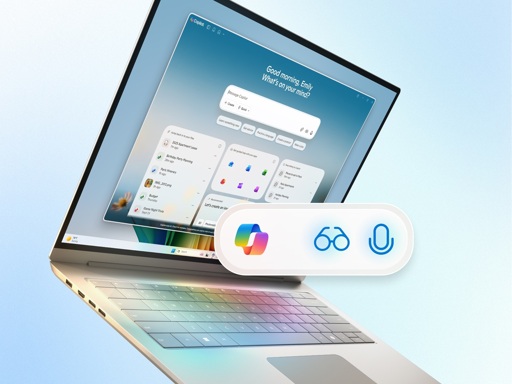
First, you should be able to interact with it naturally, in text or voice, and have it understand you.
Second, it should be able to see what you see and be able to offer guided support.
And third, it should be able to take action on your behalf.
Fourth and finally, it should be able to destroy your corporeal form and live on as digital-you liking your aunt’s dog pictures on Instagram and writing Facebook posts about immigrants taking our jobs, with just as many creative slurs as you would use.
I asked copilot…
How would Microsoft loyalty to US or other government’s national security possibly compromise a user’s PC if that user gives copilot permission to operate their PC?
How national-security or law-enforcement demands could lead to compromise
- Compelled access to data Microsoft controls — If Microsoft stores or indexes any of your Copilot data in the cloud, Microsoft can be required by lawful process to produce that data to U.S. or other governments with legal jurisdiction.
- Compelled changes to services — Governments can issue orders that require providers to change logging, enable access, or install monitoring in ways that may be secret or accompanied by gag orders.
- Access to telemetry and diagnostics — Diagnostic or telemetry data that Copilot or Windows collects can include evidence of your activity and may be producible under legal request.
- Local features that capture content — Features designed to assist (for example, an automated “Recall” that snapshots screens) create local records of sensitive material that increase exposure risk if accessed by an authorized party.
- Remote-control or agent capabilities — If Copilot is granted elevated permissions (input control, script execution, system configuration), those same capabilities could be exercised under legal compulsion or via back-end access mechanisms.
- Software updates and maintenance — Lawful orders can compel vendors to ship updates or config changes that alter how a product behaves, increasing access to user systems.
Practical ways those legal obligations could manifest on your PC
- Production of synced or cloud-stored Copilot logs, prompts, or screenshots to authorities.
- Microsoft being required to provide live access or historical logs from back-end services that the Copilot agent uses.
- A secret court order or national security letter forcing Microsoft to enable additional logging, monitoring, or remote access for a targeted account or device.
- Disclosure of keys, tokens, or server-side records that tie on-device events to your identity.
Why elevated permissions matter
- Read access to files and memory lets an agent capture documents, credentials, or keys.
- Input/automation control enables actions on your behalf (open files, send messages, change settings).
- Persistence (services/agents) makes it easier for any compelled access to be effective and harder for you to detect or disable.
Risk-reduction steps you can take now
- Limit permissions: Grant only the minimal Copilot privileges needed; avoid giving input control, admin rights, or system-level automation.
- Disable features that capture content: Turn off any screen-snapshot or automatic indexing/Recall-like features if you don’t need them.
- Avoid cloud syncing for sensitive data: Keep sensitive files off services that sync or index them in the cloud.
- Prefer on-device-only models: Use local-only AI modes when available so prompts and context do not leave your machine.
- Use full-disk and file-level encryption with keys you control; avoid storing keys where the vendor could be compelled to retrieve them.
- Harden account security: Use strong, unique passwords and MFA on accounts tied to Copilot or Microsoft services.
- Audit logs and telemetry: Review and reduce diagnostic/telemetry settings; regularly review logs for unexpected activity.
- Segmentation: Use a separate machine or VM for highly sensitive work so a general-purpose Copilot-enabled device doesn’t hold those secrets.
- Legal & contractual protections: For high-risk contexts, seek contractual commitments, data residency options, or legal counsel about how a vendor handles lawful demands.
Quick practical checklist
- Turn off automatic screenshot/Recall features.
- Remove admin permissions from Copilot agent.
- Keep sensitive work on a non-synced, encrypted volume.
- Use local-only AI options where offered.
- Enable and monitor endpoint and network logging for unusual remote access.
Short conclusion Allowing Copilot to operate your PC raises the surface where lawful government demands or compelled actions could expose data or enable access. The likelihood and scope depend on which features you enable (especially cloud sync, screen capture, and elevated permissions) and the legal jurisdiction over the vendor or the data. Minimize permissions, disable content-capture features, and isolate truly sensitive workflows to reduce exposure.
So uhm, copilot just told us not to use these new copilot features.
But if copilot is untrust worthly according to copilot then why would you believe copilot?
Microsoft is doing more for Linux adoption than anyone else ever has lol
Valve with Steamdeck and Proton development: “Am I a joke to you?”
They are helping, yes, but windows 11 is a driving force like I’ve never seen.
It’s only really viable though, because of Steam and Proton
The only reason I have a windows box is for gaming, specifically sims (racing and flying)
Ever more reason to test and see if the wheel and flight stick work under Proton.
Bazzite my dude. Check it out, super easy and setup for easy dual boot so you can give it a shot without clearing windows (if shits partitioned right)
I want to use this last year of win 10 updates to slowly get onto Bazzite but I have heard horror stories of dualbooting Linux and Windows. Windows tends to overwrite the boot preferences and caps the system.i have only booted into Linux from an external drive in the past, so what is the tried and true dual boot method?
I followed this tutorial on YT after a failed Win11/Linux dual boot that crashed Win11 completely and only booted into Linux, and it worked perfectly.
Essentially, this guy’s strategy is to create a second EFI partition for the new Linux install, remove the boot flag from the original Windows EFI long enough to go through the Linux install, then put the boot flag back where it was and update GRUB accordingly, allowing GRUB to find and note any other operating systems on the disk. After that both Windows and Linux stay in their own walled spaces and Windows never gets to overwrite the Linux EFI, which is the source of all the misery.
There’s more to the detail, of course, but that’s the gist of it. I have dual-booted Linux with this method solely on single partitioned disks, and never on different disks, so I couldn’t tell you whether a separate disk is a guarantee of anything or not, but after I started deliberately creating separate EFI partitions for dual-boot situations I’ve never had a problem.
This video is specifically for Zorin but I’ve used the same strategy successfully on other distros. He has also done specific dual-boot walkthrough videos for a number of other dual-boot installs and troubleshooting as well, so check the channel if you want to find other distros. I did not see Bazzite specifically, but I saw plenty of Fedora. (No affiliation with this channel, I’ve just used a number of his videos and appreciate the specific care and accuracy he gives his tutorials.) Hope this helps.
With 68% of consumers reporting using AI to support their decision making, voice is making this easier. [1]
Does anybody actually believe that 68% of consumers use or even want Copilot? But they included a source for this very generous assertion at the bottom of the page:
[1] Based on Microsoft-commissioned online study of U.S. consumers ages 13 years of age or older conducted by Edelman DXI and Assembly, 1,000 participants, July 2025.
Oh yeah, that’s compelling: US consumers, 13 years old and older. An entire thousand of them!
So the only question I have left is which junior high principal Microsoft “compensated” for this survey, and what happened to the 320 summer school attendees who said fuck you, no anyway.
- 68% of people who answered the survey full of loaded questions they sent to a curated demographic
Yeah like we all use chatGPT for the most part now but that still does not mean copilot
Fun fact though out of topic: I once searched for 2 girls one cup in copilot, and though it said I cant talk about it, it provided sources and one of them was a link to the video
I can’t judge you for that, I feel like you probably got the very best Copilot has to offer, lol
When google shoves their ai to the top of search results, its hard not to read it. I’ve been spoiled by ublock and I am no longer used to ignoring the first few things that come up.
I’ve been using Duckduckgo with uBlock for years, so I had no real problems with anything like the hell of Google “sponsored content” until Duckduckgo started putting up their own AI search assistant. Since then I’ve gone from start.duckduckgo.com to noai.duckduckgo.com because I got tired of turning their search assist off and couldn’t reliably block it with uBlock because they kept changing it. (I delete all cookies after every browser session and do not maintain individual app accounts, so their AI settings options were never gonna work for me.)
Because of the way my brain works, I literally don’t even want to see what AI says until I’ve done my own looking. Yet I never failed to turn it off, because I just can’t rely on it.
Usually when I’m looking for something I’m in a hurry, so it’s less trouble for me to just pick my own sources, preferably older than 2023 if possible, and read a bit myself than to spend time getting blithely lied to, or even just suspect hallucination/omission to the point that I think I need to verify it before I can rely on it.
It’s not an exaggeration to say that for me, it is literally faster to skim three or four completely different primary sources than it is to try to verify the assertions in a single search assist paragraph: one is just light reading, the other is point by point comparison of the AI offering against multiple independent sources. So I read.
I’ve never regretted summarizing a topic myself, but I’ve definitely gotten some rotten eggs from AI, both in blatant non-truths AND in holes of omission you could drive a truck through. I won’t make that mistake again. So for me, AI summaries are well worth staying wary of for now.
Nice update!
…open O&O shut up and disable, disable, disable, disable. Sweet.
Disable? I think you mean Remind Me in Three Days! - Clippy
And for some reason when I buy a laptop I need to also pay for that disgusting spyware. How is this scam still going on?
Only when you buy a windows laptop. You can buy MacOS, Android, chromeOS, linux laptops.
You can also buy a framework which doesn’t come with anything
Is “agentic” even a real word?
There’s no committee that approves words being added to the English language. Anything that’s understood by the group that uses it is a real word. We make up new words and change the definition of old ones all the time; dictionaries are descriptive, not proscriptive.
That doesn’t stop the concept of ‘agentic AI’ being a pile of bullshit being peddled by snake-oil salesmen, of course, but you don’t have to be Shakespeare to be permitted to make up new words.
The question should be more understood as “was the word agentic even in use prior to AI-people slapping it on everything?” It was a genuine question, I have never heard it until it being used in this context.
First steps of windows install:
- No to everything for data monitoring
- Google or Opera default browser
- Disable or ignore all copilot icons
- Unstick all user folders from OneDrive
- TranslucentTB
google as default browser
You sweet summer child, Google is as bad if not even worse than Microsoft. Chrome is no longer the browser the memes that glazed it used to depict it as.
Also, didn’t opera sell to some spyware company? I’m team zen (firefox fork with some very neat extra features) btw.
opera has been owned by chinese company since 2016.
You forgot the step where you ignore step 2 and use Firefox.
From what I’m reading it’s just Cortana 2.0
Hey Copilot, what happened to Cortana?
Copilot: ł ₭łⱠⱠɆĐ ⱧɆⱤ