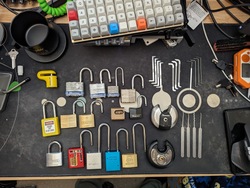
Here’s my beautiful unemployed-for-too-long-have-no-money-dont-care-about-looks lab :)

Hey it’s more than good enough to run all this ¯_(ツ)_/¯

people put too much “lab” and not enough “home” in homelab. we need more dust, more cables, more jank. love this.
Dust and jank you say? Behold, my old basement homelab when I rented just outside Boston with a very permissive landlord who agreed to let me have Comcast gig pro fiber pulled into the basement, running off an outlet I installed without asking on a free slot in our breaker box. The dust was terrible, the rack was a hodge podge, I had to put up that sign because maintenance guys kept plugging their power tools into the UPS when I wasn’t around and tripping it. But Comcast fucked up the billing and the 2gig + 1gig symmetric internet is still active to this day for free, which I left behind minimally working for the next tenants after parting out the rack. The tower by the side was a friend who wanted to colocate on my fiber, and I had some fun stuff like a slide out vga console. I also pulled Ethernet into every room, most of them installed with nice wall plates all bundled down to the rack, so with a house full of gamers, you could have multiple people pulling a gig on a game download without anyone stepping on anyone else’s toes.

Dang that’s the dream. Never move out :D
Very nice. You guys with all the toys. I bet she’s fun tho.
more dust
Believe it or not I cleaned before taking the pic lol
I had a dusty laptop running a homelab for you, and figured I should show something nice on the screen. Then, I typed in my password like an idiot. Not gonna put that online. :(
How dejected could you be when you can bring someone such joy?
That man is a menace.
This is the best thread so far. Really enjoying seeing peoples setups! Thanks @northernlights@lemmy.today !
That desk is about a million times cleaner than mine.
When did people start using the term ‘lab’ for this sort of thing, and why?
I think because it lets them see themselves as scientists or so
This guy home labs 😂
deleted by creator
A little late to the party, but here’s mine.
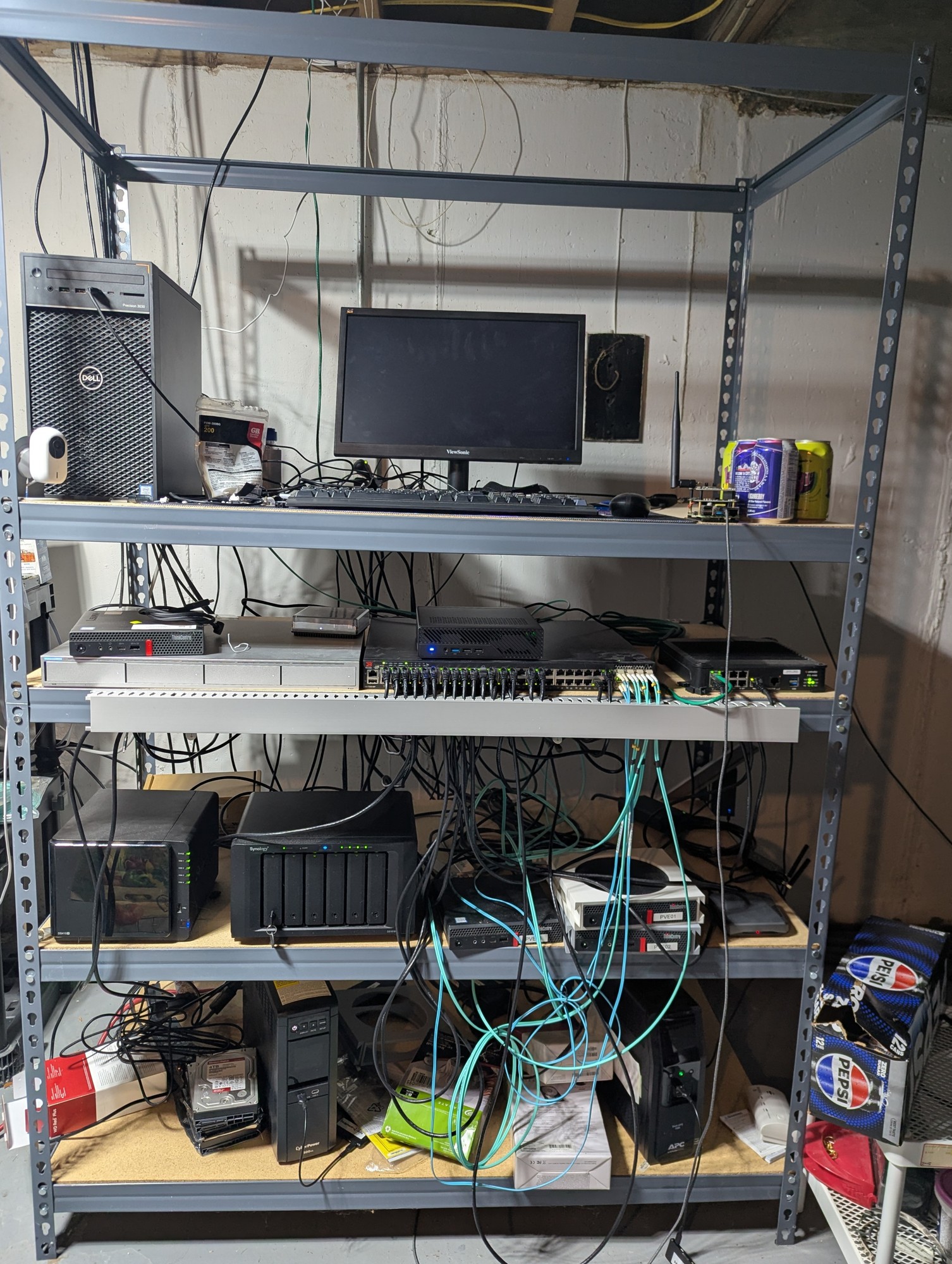
What are the specs on that pepsi box? How’s it handle the load???
It’s only the mini Pepsi cans iirc, so they aren’t as load bearing as I’d like. God willing, I’ll upgrade to fanta boxes one day.
Oh yeah, now that’s a HOMElab
Love it.
the hardrive just out in the wild, living life like it was meant to be lived.
What are its natural predators?
gravity
beverages
drunk sysadmins
Spill your beer on it and get all three in one go!
Cats and very young humans
Keys, paperclips and coins… they kinda work their way towards the PCB and short out crtitical things

So clean, I’m jealous
How can you hear the DJ tunes over the server fans?
Can’t hear either over my tinnitus
Same. Thirty years later and I still have it D:
Man, GTFO with that hot mess… I’m jealous really. I’m getting a chub just thinking about it.
Oi thats too clean for this thread. Get out of here! /s Nice setup.
Business in front…
I remember looking at Sysracks racks a while back when I was trying to find sound-absorbent enclosed racks (which they do make, though I didn’t get one; wasn’t willing to pay for it, as they come at a very large premium). They were one of the very few companies making them. I don’t think that those particular ones are the sound-absorbent models, but their name stuck in my head.
I got this because it’s almost fully enclosed. Most of the noise comes from an open rear door which this doesn’t have, and an open front door which this sort of has. It’s not very loud when the hvac is set to a reasonable level, even though it’s pulling air through 4 fans on the top.
I have additional sound deadening material if I need to apply it but I’m not there yet.
I’m eyeing 3-5 more 1U servers though so maybe I’ll need to do it.
I have additional sound deadening material if I need to apply it but I’m not there yet.
That’s probably a pretty good idea in terms of cost. I checked earlier when I made the comment to see what the price difference these days was, and IIRC a non-isolated 18U is ~$800 and an isolated 18U is ~$1800. They aren’t putting anything like $1k of sound-absorbing material into the rack.
Is this the “before” shot? There’s 190 spare ports. I’m all for leaving room to expand, but that’s a lot
Unpowered free 48 port switches are cheaper than block off plates.
Can’t argue with that!
Okay I’ll bite.

Dang so very jealous. When I finally get a job i’m so building a little datacenter in my walk-in closet :D
hell yeah.
Re: the cabling up top there, there’s some Reddit subreddit devoted solely to people showing off their spiffy cable-routing.
searches
Might be:
https://old.reddit.com/r/CableManagement/top/?sort=top&t=all
Though that looks like in-PC-case cabling. I thought that it dealt more with network cables.
searches more
Ah. I think this:
https://old.reddit.com/r/cableporn/top/?sort=top&t=all
It looks like we do have a !cableporn@lemmy.world, but basically nobody is posting.
Oh man, your server has its own closet!
Projects that im running:
General Web server out of junk
Old system 76 machine from a while back. Its what is running a majority of my services for self hosting. Only one screw keeps the case together, since I get into the insides quite often.
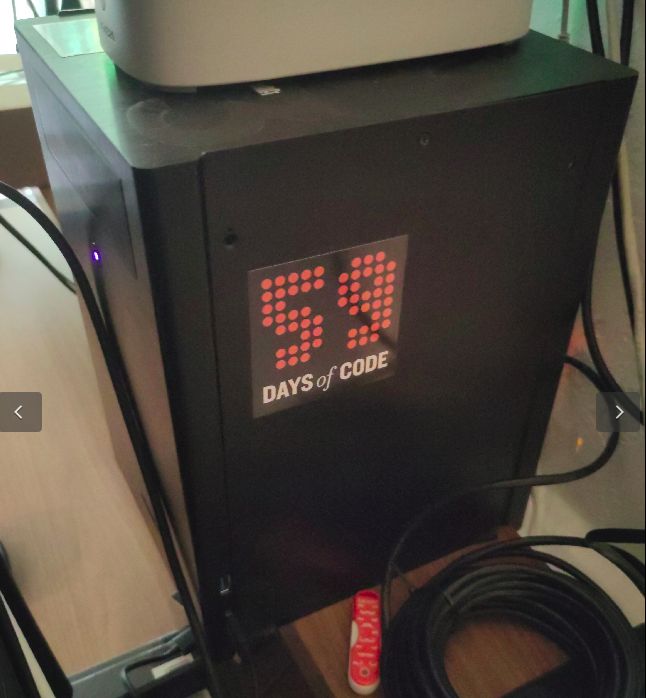
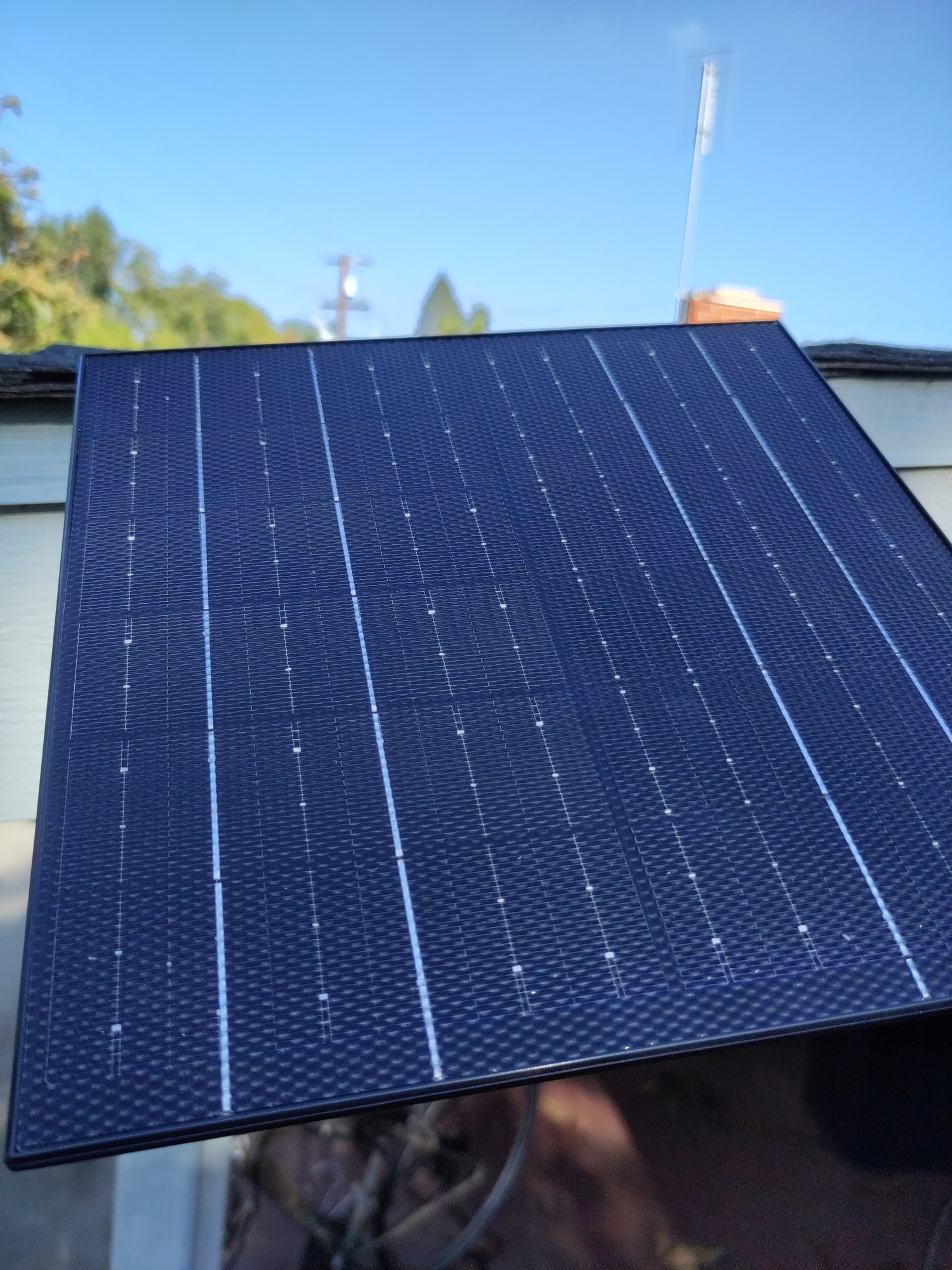
Solar powered web server on a phone
Solar powered web server. Its going to be repurposed into a meshtastic node soon.
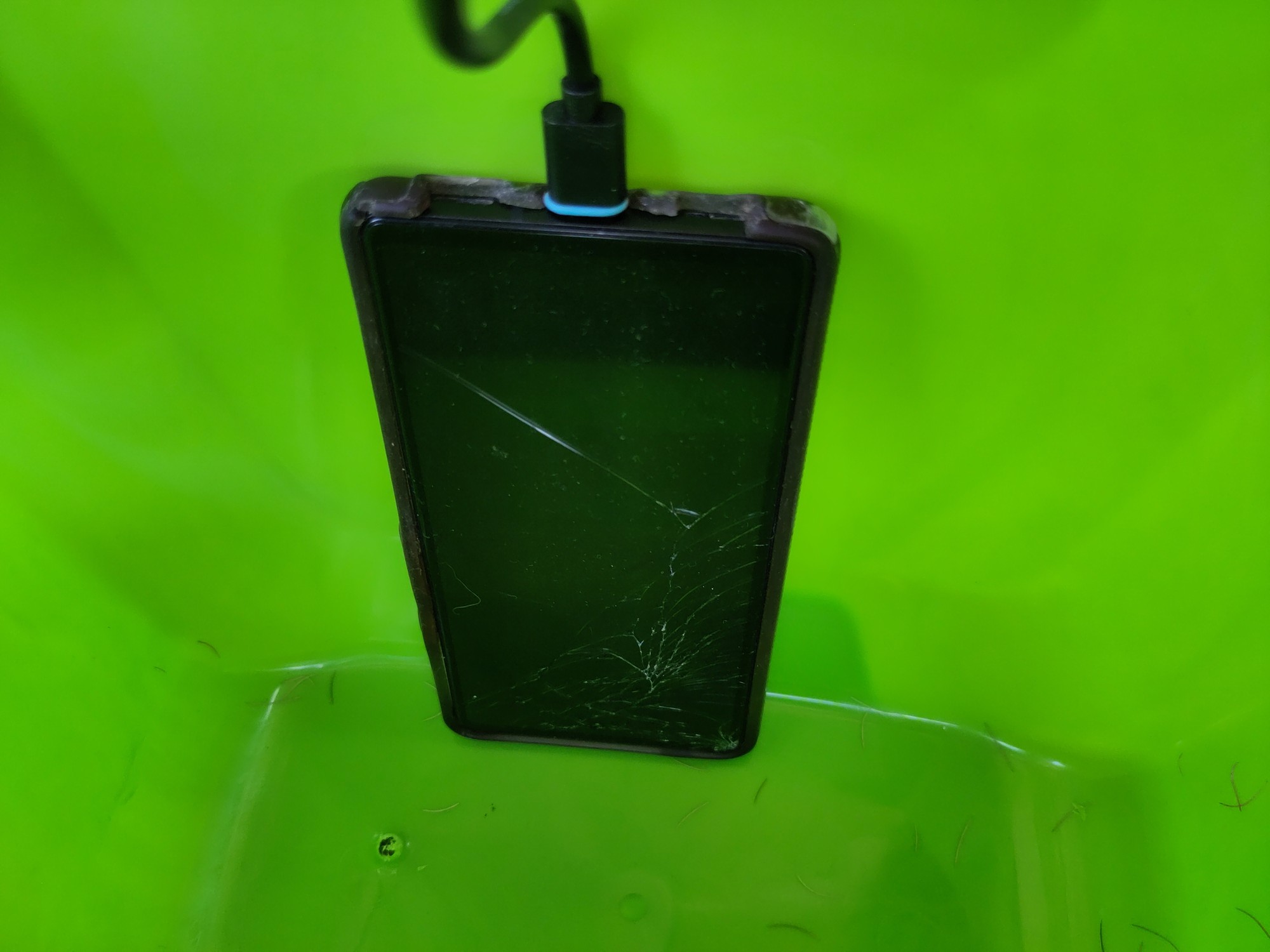
Ebook reader on a heltek v3
Somewhat jank setup of a heltek which is also an ebook reader. It runs a webserver to upload the book in txt format, then I can take it on the go. I still have to do some work on the text.
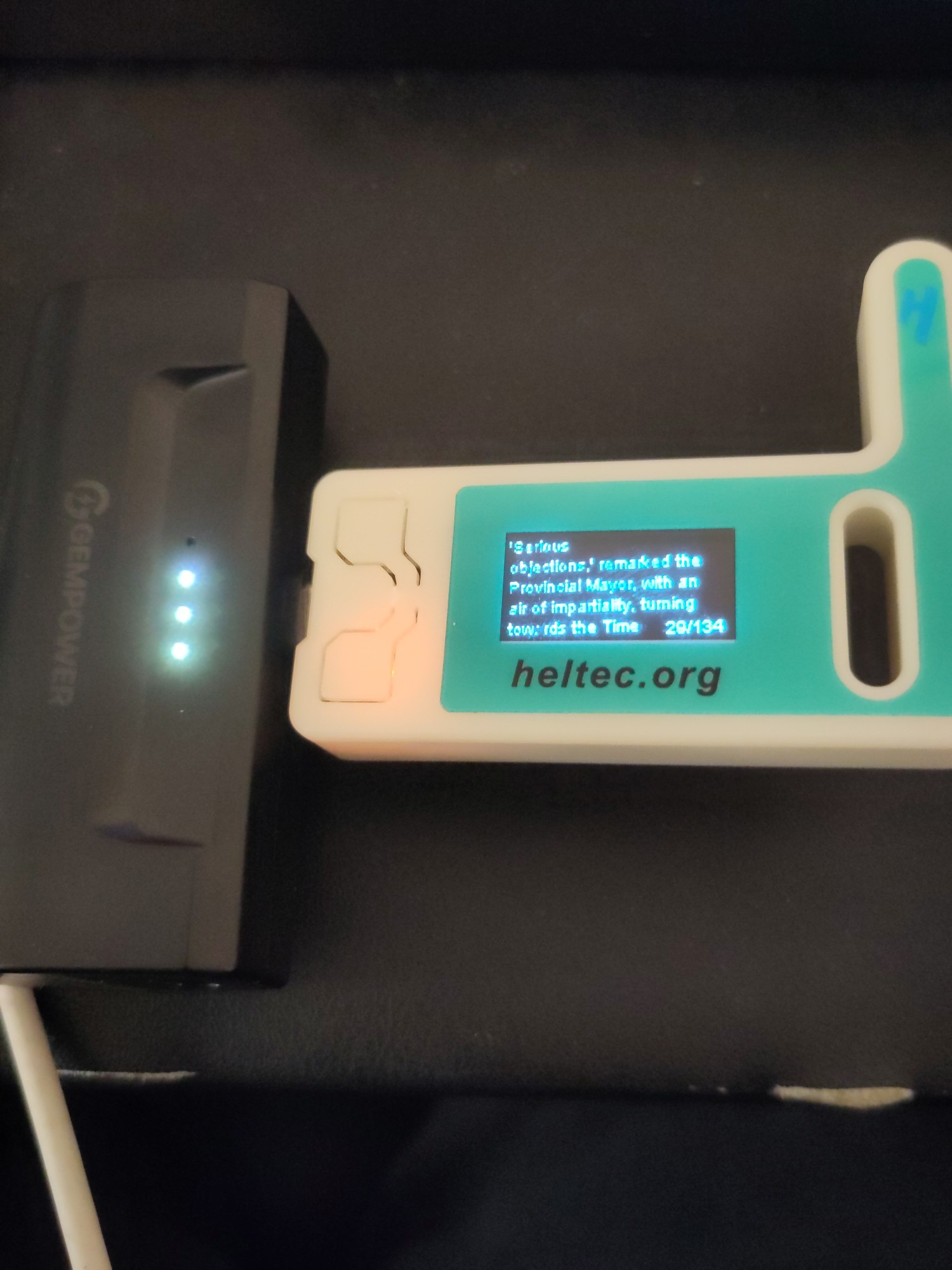
That ebook reader is wild! Does the text stay in place while you read, or does it scroll past like a stock ticker?
If the latter doesn’t exist, I guess I should go push a PR to make that happen on meshcore firmware haha
Stays in place. It was a weekend project so I still need to do some work on the text in particular. Im not sure if ill go any farther, but the code is here if you want to take a look.
Old system 76 machine from a while back. Its what is running a majority of my services for self hosting. Only one screw keeps the case together, since I get into the insides quite often.
If you get bored and adventurous:
https://en.wikipedia.org/wiki/Computer_case_screws
Computer case screws are the hardware used to secure parts of a PC to the case. Although there are numerous manufacturers of computer cases, they have generally used three thread sizes.
The #6-32 UNC screws are often found on 3.5" hard disk drives and the case’s body to secure the covers. The M3 threaded holes are often found on 5.25" optical disc drives, 3.5" floppy drives, and 2.5" drives. Motherboards and other circuit boards often use a #6-32 UNC standoff. #4-40 UNC thumb screws are often found on the ends of DVI, VGA, serial and parallel connectors.
You might be able to get a box of thumbscrews in the appropriate diameter and go toolless. I’ve had a number of computer cases that ship with those (my current desktop case just uses magnets, doesn’t even have the thumbscrews). I have had a lot of less-than-ideal toolless things in the past, including poorly-designed toolless hard drive mounting stuff that wound up being a lot more work than the traditional tool-requiring stuff, but for the screws that keep the case closed, going toolless has always been a big win for me.
Thats good to know! Although if I am honest, ill probably just repurpose my current desktop that I am using for this conversation and get a new one if I end up re-doing my homeservers again.
Last thing I want to do is more work at home. So these are just “for fun” projects. If im not having fun, I start removing things from the setup.
Now that’s a crafty homelab, love it
The best homelab is the one you already have.
The second best is the one you want to buy :D
Is that a PI in your setup?
Yeah it’s just haproxy + uptime kuma
nice!
You need to make a ‘I’ve been busy’ post.
I was too lazy to put on clothes and go out to my shack. This picture is a bit old. It’s missing a lot of mess and my PeerTube server.
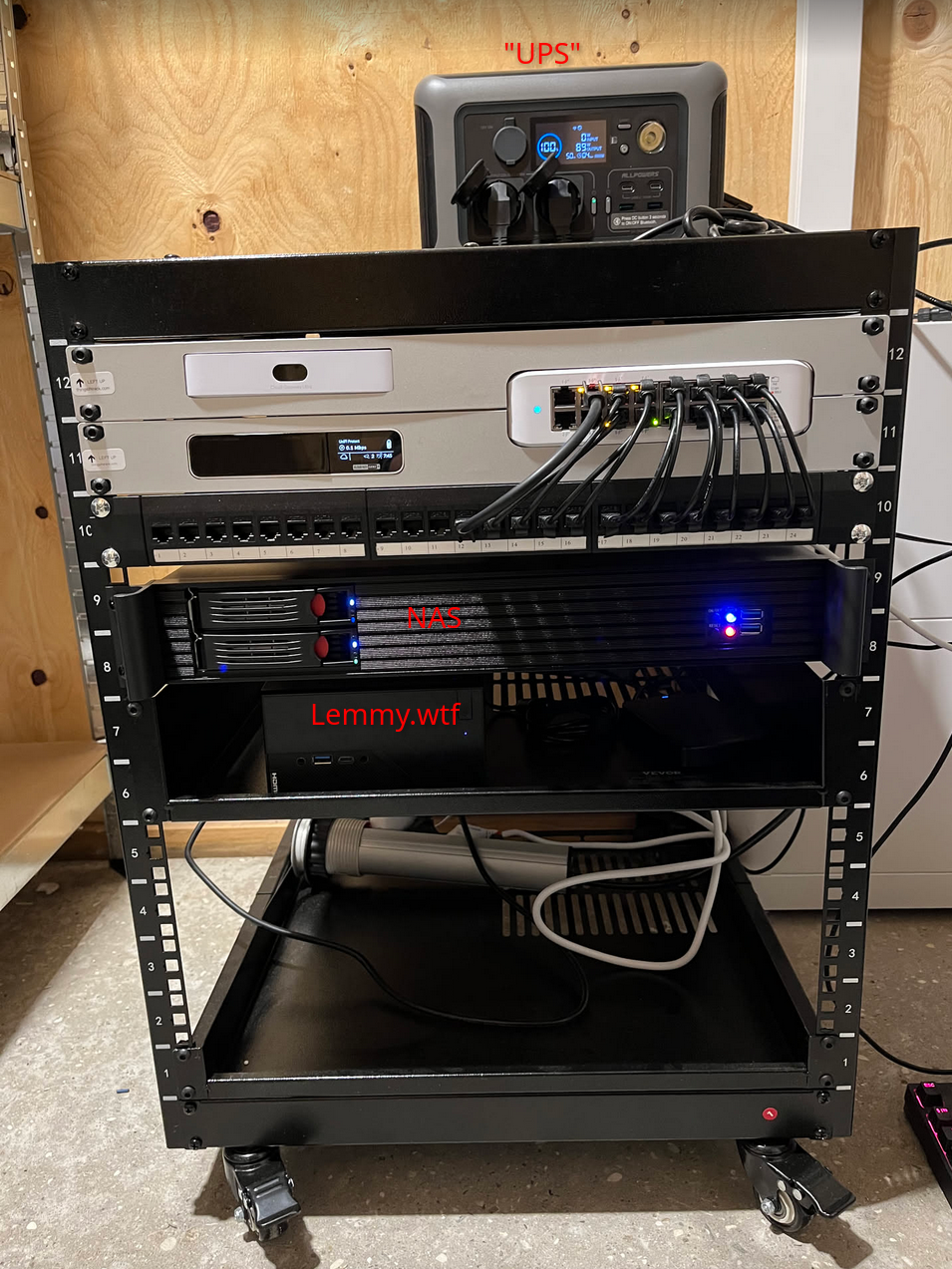
so, that’s where lemmy.wtf lives
Wtf?
It is strange seeing the physical manifestation of a web endpoint, to me, in 2026, after decades of cloudslop.
Its just a computer! on a shelf! you can go hold it!
Oh neat! is that where peertube.wtf is also hosted?
That’s the server currently missing from the picture. Right now it’s a mess, because I’m doing a re-setup of everything. But getting my hands on hard drives have been difficult and I actually still need a CPU and motherboard.
I feel you. HD space (and everything else) is sooo expensive. I have an old spinning drive for my peertube instance just cause is easy to source.
Is the UPS between quotes just a fancy power hub? I mean that would work, that’s smart.
Yea, it’s a power station with built-in UPS. https://iallpowers.eu/products/allpowers-r600-portable-power-station-600w-299wh-with-lifep04-battery-1
The white box at the wall is also a battery from my solar setup, with an ATS. So kinda double UPS 🤭
Lol puts “UPS” in brackets to suggest something janky, reveals it’s a battery power + solar power backup. Kudos :)
I want one! Ive been thinking of setting up one with solar since my area gets next to no rain and hot as hell. Might as well use that to my advantage!
I’m still not using one. The problem is that you’ve got two classes of devices that haven’t quite converged to what I want.
UPS
Traditionally, the purpose of UPSes isn’t to keep systems running (other than through very short outages). It’s to do one of the following:
-
Provide a small amount of buffer until a backup power system, like a generator, has time to come online.
-
Give the systems time to shut down cleanly. If the user is right there, they have time to save their work. This was particularly an issue before journaled filesystems became the norm, since an unclean shutdown in the era when Windows was using FAT, Linux was using ext2, and MacOS was using HFS had at least the possibility to corrupt your filesystem. They have the ability to report their charge level to an attached computer so that it knows when the battery level is critical and then software on it can start it shutting down. On Linux, the most-common software package to do this is Network UPS Tools, or NUT.
These things don’t need a lot of capacity. They rarely get drained, so they usually use lead-acid batteries, which are heavy and don’t have many full charge-discharge cycles in them (but are pretty happy staying fully charged all the time). You can still get these. The lead-acid batteries are replaceable, though, so an old UPS can keep going for a very long time.
Powerstation
These are designed to keep attached devices running for a longer period of time. Unfortunately, they have a couple of important limitations for powering computer systems.
-
They do not normally have the ability to report their charge level. Irritatingly, they do nearly always have a voltmeter rigged up to some software to map voltage to charge remaining to drive a ‘charge remaining’ display on the device, and there are USB HID device classes for reporting charge levels to a host OS, but for some reason, powerstation manufacturers don’t seem to have an interest in making a powerstation that has the latter functionality. NUT does have a USB HID backend, which means that it can monitor and shut down a system if they’d expose it. I’d really prefer the ability to treat one of these as a laptop-style battery, as Linux (as well as other OSes) have the ability to hibernate on low battery. On Linux, these show up as
/sys/class/power_supply/BAT*, and there’s lots of software to display charge information and act based on low levels…but AFAICT from looking around the kernel, there is no way to get the kernel to deal with a USB HID device reporting remaining charge like this as a BAT device. -
Computer power supplies can only smooth out so much of an interruption in their power. Computers rely on something on the order of a 10 millisecond transfer time after AC goes out until the UPS needs to be running full-tilt. searches ATX PSUs apparently are only required to operate for 16 milliseconds without power. Other hardware attached may or may not actually deal well with interruptions, but obviously the shorter the transfer time, the better. It looks like line-interactive UPSes tend to do something like 3-6 milliseconds. The problem is that a lot of powerstations have a transfer time in excess of this.
There are some LFP UPSes now, but these have their own disadvantages. They tend to be fairly pricey, and the batteries are often not replaceable, which means that unlike the old lead-acid UPSes, when the battery dies (which will take longer than with a lead-acid battery), the whole device is also going to the landfill.
And lastly, you have the problem that while lead-acid batteries are pretty mature and prices are pretty stable, LFP battery prices are coming down (and sodium-ion might start competing with them for fixed batteries). If batteries are cheaper in the future, waiting means a better deal.
I don’t currently run a UPS on my systems (though I have in the past). I kind of decided that if I’m going to run a UPS, I’m probably going to just bite the bullet and use the combination of a traditional lead-acid UPS and an LFP powerstation, with the UPS plugged into the powerstation. In that configuration, the powerstation provides provides the longer-running power, and the UPS deals with short transfer time and warning computer systems that power is about to go out. This isn’t perfect, because (a) your computing devices can’t see the remaining charge on the powerstation in an outage (b) at some point, one still has to toss the LFP powerstation, and (c) there’s a little extra hardware involved. However, it also has a number of benefits:
-
Lead-acid UPSes pretty much always have replaceable batteries. One can keep the UPS around, though the batteries will have to be periodically replaced.
-
The UPS will provide time for the system to shut down.
-
UPSes are designed specifically for this, and have short transfer times. You don’t need to worry the way one might about a powerstation having marginal transfer time.
-
You can get a lot of AC-related functionality in UPSes, like online capability (which will clean up the power, if you want), which isn’t generally available in powerstations.
-
You can upgrade the “powerstation”, even (if you want) doing a build-your-own thing with separate cells and an inverter and charge controller (which is generally more cost-effective for larger systems) down the line. These discrete-component systems are also a lot easier to provide human monitoring of remaining charge, since you can pick the components (and worst case, all you need to do is connect a voltage sensor that can talk to a computer to it), though they don’t integrate as nicely off-the-shelf with something like NUT as do traditional UPSes.
I’m not saying that this UPS+separate-battery-system is the only route to take, but I spent some time banging my head on it, and wanted to share if anyone else is similarly thinking about the same thing – that there may be a good argument to have a traditional UPS and some kind of separate battery system.
-
Solid cable management 🤌🏻
This. Is. Beautiful.
I want one!

More specs / details available upon request.
(OT) what did you use to annotate the picture?
This looks solid!
BEHOLD! THE MOTHERBOARD!

“Beware of the leopard.”
This has got grit! I love it.
Wow!
When I’m rich I will also get a NAS/multiple drive enclosure (and fill it, hence the “rich” condition).
Built a year ago, didn’t change anything but drives since. PCengine APU OpnSense, two Proxmox cluster hosts, one mini PC NAS with JBOD. All DIY.

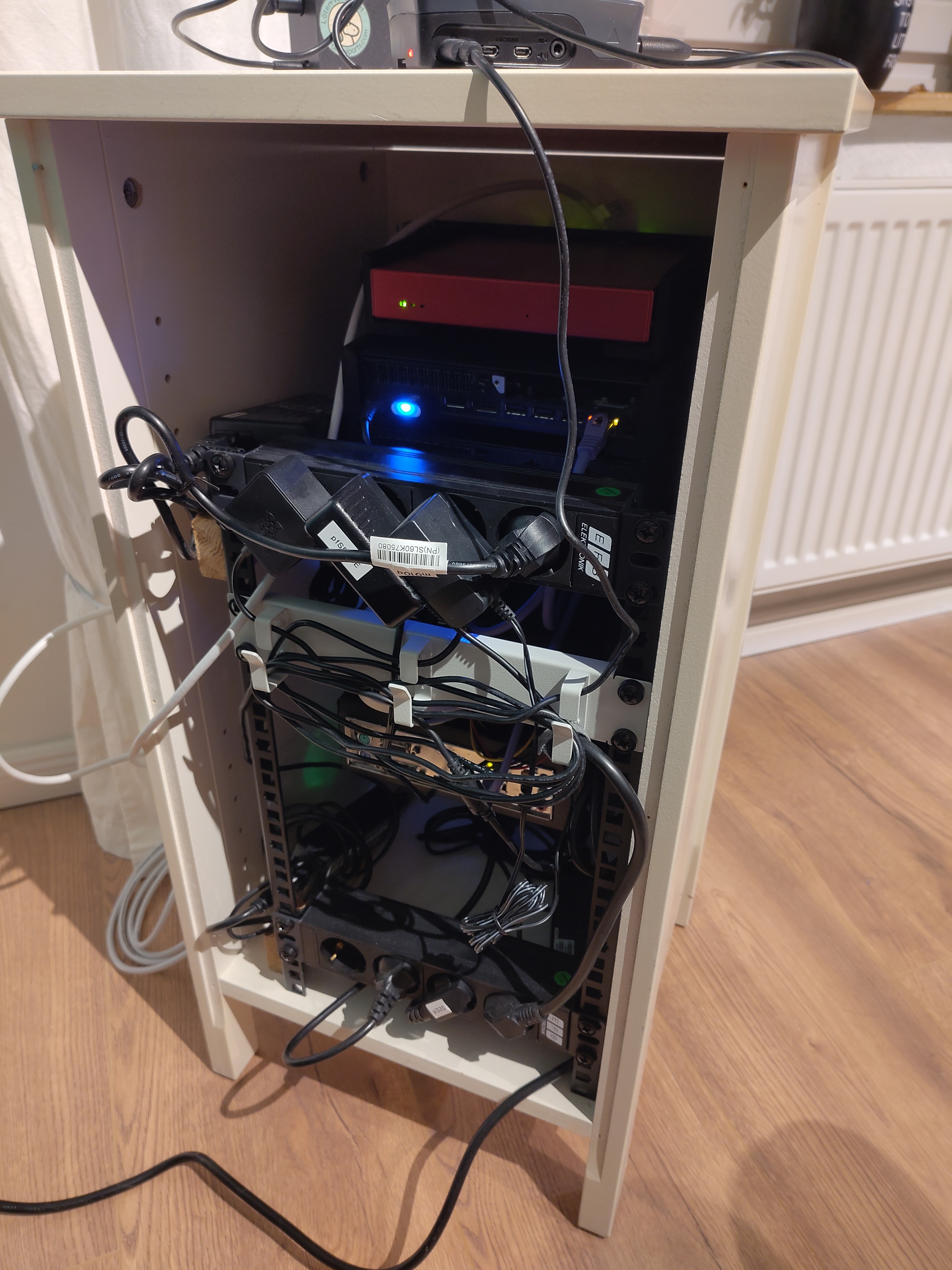
Way too professional looking for this thread.
Also, you got a link to that sticker? Maybe I’ll add that as an ironic reminder to my “Kabelsalat” 😅
I think I missed the irony 🙈
It’s from Kaoskvlt
I’ve seen that one before!
Yeah I posted it when I built it :)
✅ Rackmounted
❌ Professional
What front end are using for your apps? Looks nice.

heimdall
they posted further down that it’s heimdall
Hey it’s my desktop! Love that case. Horizontal motherboards make more sense with how big graphics cards have gotten.
heimdall

Only two of the minis are in use. The other two i am just messing with different things. Still have three more not in use and unsure what I am going to do with them. Two extreme AP not being used and probably never will.
3 more not in use you say? Willing to part with any of your unused tech?
What kinda monitor arm is that? I have one for a lil monitor I have but it uses a clamp on the top and bottom of the screen instead of screwing in. I’m looking for one that doesn’t stress the screen with so much pressure!
I honestly don’t remember but I got it at Walmart for like $20 for a double monitor. The monitor is have is 27" and never had any issues with it.
Thank you! I’ll do some digging. The dang thing has mounting holes but they’re NOT VESA. But 40USD for an IPS 1080p panel that can be powered AND video’d through one USB-C cable I can’t complain about!
The outdated books are a nice touch 🤌 :)
Oh also since you literally have more hp elite desks than you can use, please send me one :)
Love this thread, here’s my contribution
Just a pi4B and some external drives for Linux ISOs

edit : they resting on a piece of foam to reduce vibrations
Bonus pic of the zigbee dongle for Home Assistant

this is the way :)
You may get better signal by not folding the antenna.
Oh! So you mean pointing it downward? Would you mind explain how that works? I’m clueless when it comes to these things
Some context, the house is on two levels and this is level 0. The ceiling above is level 1. Also we’re on the edge of the house not the center, the tip of the antenna is pointing towards the center
Just letting it be straight, as if it didn’t have that joint that allows it to bend 90º, but test and see.
I bought a 16U rack this year to organize stuff a bit. Zigbee dongle is still installed exactly like this. I’m not convinced there’s a better solution.
It is the way
Honestly, I doubt there is. You’re suspending it away from metal and wood, seems like the best solution other than replacing the antenna with something expensive and “mounting” that separately.
Nice cooler on the pi
Yea really happy with it. It only struggled some summers when I used to live in a small apartment in a large city.
That’s how my ZigBee dongle is mounted, except it’s resting on a shelf
It must hang for its sins (of not working when too close to the pi)
Still busy building it. Have a few more parts to print, like the back trim and plug holder, and I need to remove the protective plastic from the aluminum sheets.


sexy 😍
Love it, i’ll probably end up doing something like that with a few HP elitedesk.
Thanks! I made it from some scrap pieces of wood from my IKEA headboard, aluminium extrusions and some aluminium sheets, then just 3D printed trim and fittings.
I was lucky and got a good deal on some ram, so each has 24gb.
Its supposed to be my kubernetes homelab. My actual server is hidden in the electrical box in my apartment.
Did someone ask for jank, dust, and cables?

Hey, shock-absorbing floor, stable structure to put the servers on, and a UPS. I bet that’s much better than the vast majority of us (1st thing I buy when I get a job is a UPS).
This looks like an after-work special. Nice setup. That APC is awesome. I need to get a new one.
I have that ups! apc br1500g?